Generation Callbacks
The purpose of GenerationCallbacks is to perform custom logic on a Path's spawned component during different phases of Path generation. Callbacks can for example abort spawning of a component or change its properties (eg: transform, appearance).
A single callback can execute logic in one or multiple stages and can be implemented in code or in Blueprints.
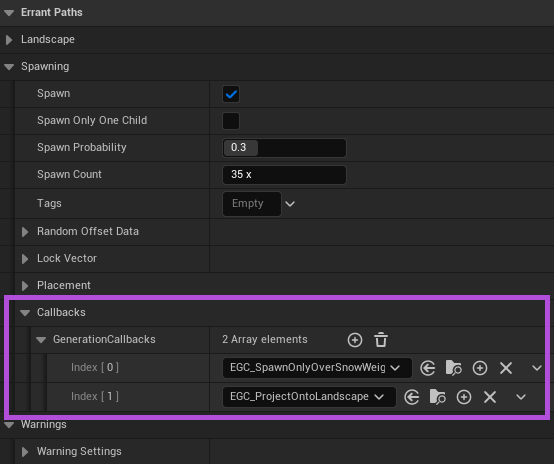
GenerationCallbacks can be set for various of PathTemplate components:
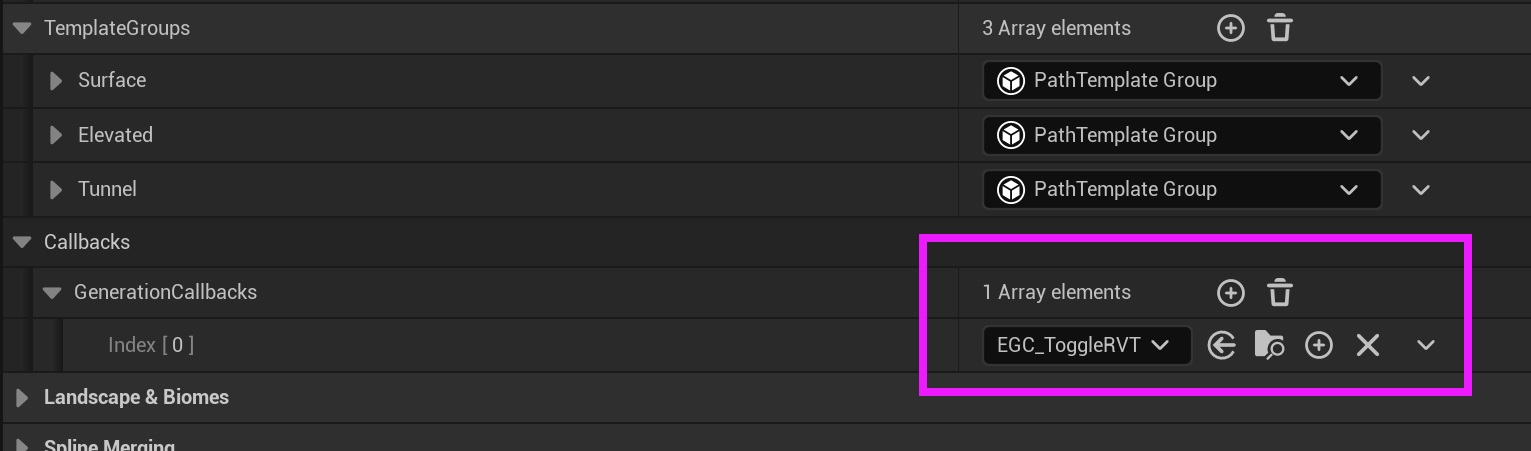
And can also be configured in PathDescription and are then applied to all the components spawned by the Path:
Stages
The information available at each stage may differ. Information that remains consistent across stages,
such as the owning Path, can be accessed by calling GetPersistentData.
1. Pre Spawn
Executed immediately before the component is spawned.
Use this stage to decide whether the component should be spawned. Because the component hasn't yet been spawned, access to its data is limited. We provide the intended position, its position without random offsets applied, and the random stream used by Errant Paths for internal randomization.
2. Post Spawn
Executed immediately after the component is spawned.
At this stage, you can modify the spawned component's properties, for example its position, rotation, or material. The component can be a Mesh Component, Child Actor Component, Decal Component, Spline Component, or another supported component type. But it can't be an Instanced Static Mesh Components, because we group similar meshes into instances later in the generation process.
Cast the component to the appropriate type before accessing its specific properties.
3. Pre Landscape Adjustment
Executed before Landscape/Mesh Terrain adjustments begin.
This stage is similar to Post Spawn as you can freely modify the spawned component's properties, but the component may be an Instanced Static Mesh Component. If you need to change the positions of individual instances, you must iterate over the instances and update their transforms rather than treating the component as a single spawned object.
Cast the component to the appropriate type before accessing its specific properties.
4. Post Landscape Adjustment
Executed after Landscape/Mesh Terrain adjustments have finished.
This stage is similar to Post Spawn as you can freely modify the spawned component's properties, but the component may be an Instanced Static Mesh Component. If you need to change the positions of individual instances, you must iterate over the instances and update their transforms rather than treating the component as a single spawned object.
Cast the component to the appropriate type before accessing its specific properties.
This stage is useful when a component needs to respond to the final terrain shape. For example, you can use it to snap spawned objects to the Landscape after its height has been adjusted.
Creating a new GenerationCallback
As an example, we will create a new GenerationCallback that changes the color of a mesh.
- We first create a GenerationCallback asset.
- Override the "PostSpawn" function, then save and compile the blueprint.
- Create and open a new material.
- Add color parameter, set the "Use Custom Primitive Data" to true, then save and apply changes.
- Open a Path's PathTemplate.
- Add a cube mesh and place it somewhere.
- Assign the material and add the GenerationCallback.
- Lastly, compile the PathTemplate and regenerate the Path.
For simplicity, in this test we disabled converting meshes to instances by setting Path's "Convert Path Components to Instances" property to false. Supporting instancing would make the material more complex.
Labels in GenerationCallbacks
GenerationCallbacks can sample Path Labels and perform certain logic only when certain Labels are fullfilled.
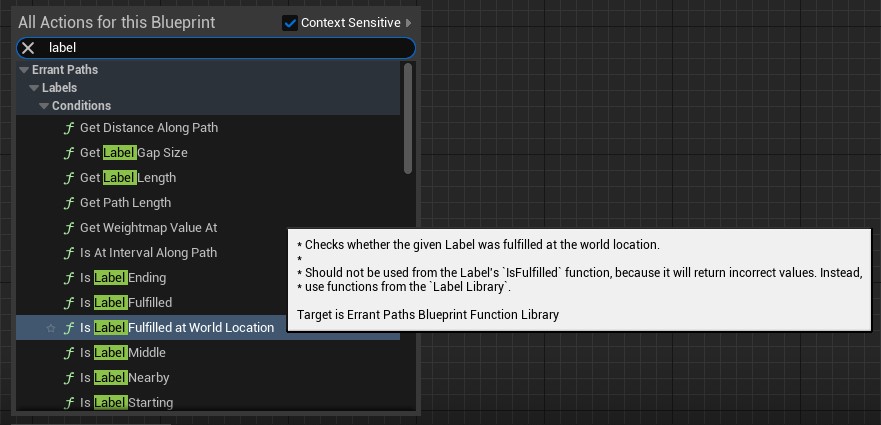
Do not use functions from the "Label Library" in GenerationCallbacks as they won't work properly (are meant for logic inside of Path Labels). Use functions from "Errant Paths Blueprint Function Library".
As an example, we will create a GenerationCallback that assigns a random color to meshes where a "RandColor" Path Label is fulfilled.
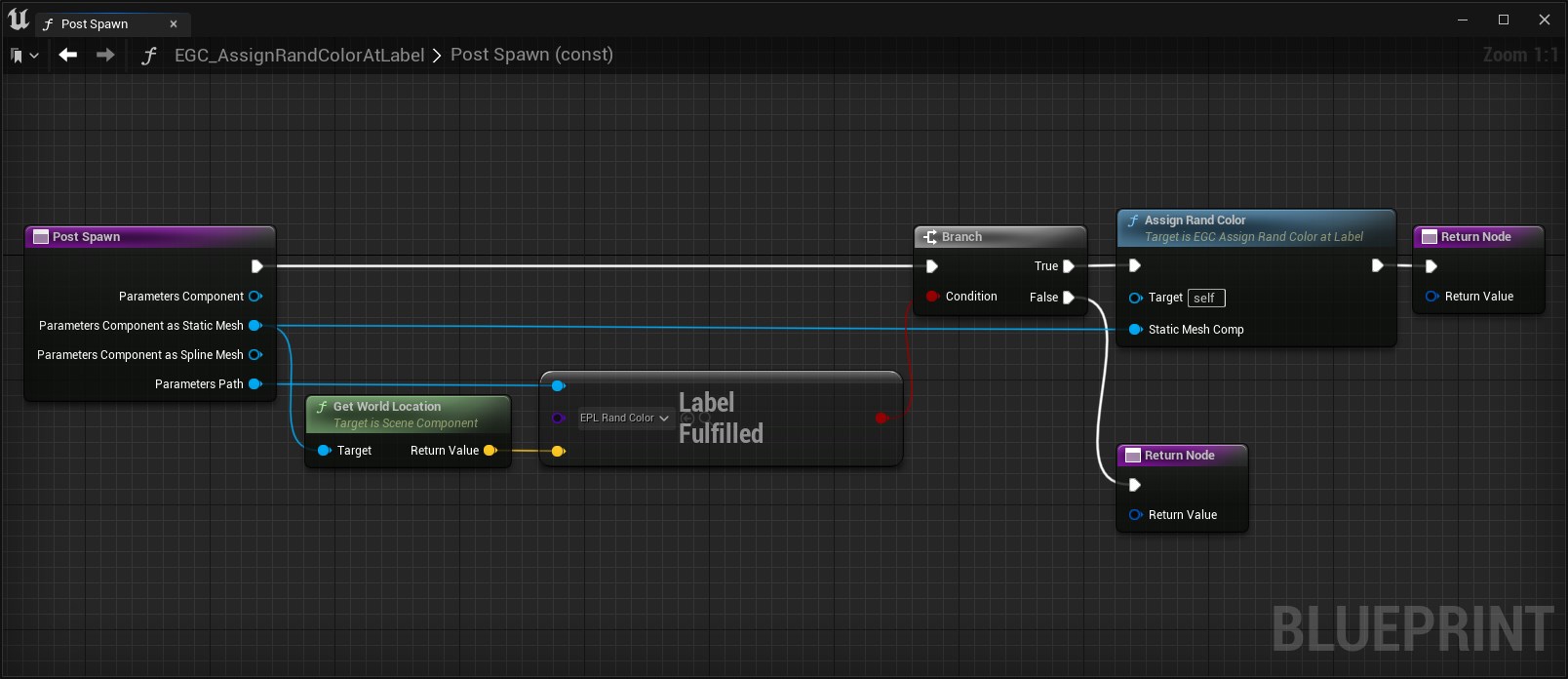
We paint the Path Label manually, for simplicity, and can observe how boxes underneath change their color.
The plugin automatically detects which Path Labels were used by GenerationCallback blueprint graphs and makes sure these Labels are calculated during Path generation.
However, when implementing GenerationCallbacks in C++ code, you need to manually fill the NestedLabels property with Labels that you sample (see the UEpToggleRVTGenerationCallback as an example).
Examples
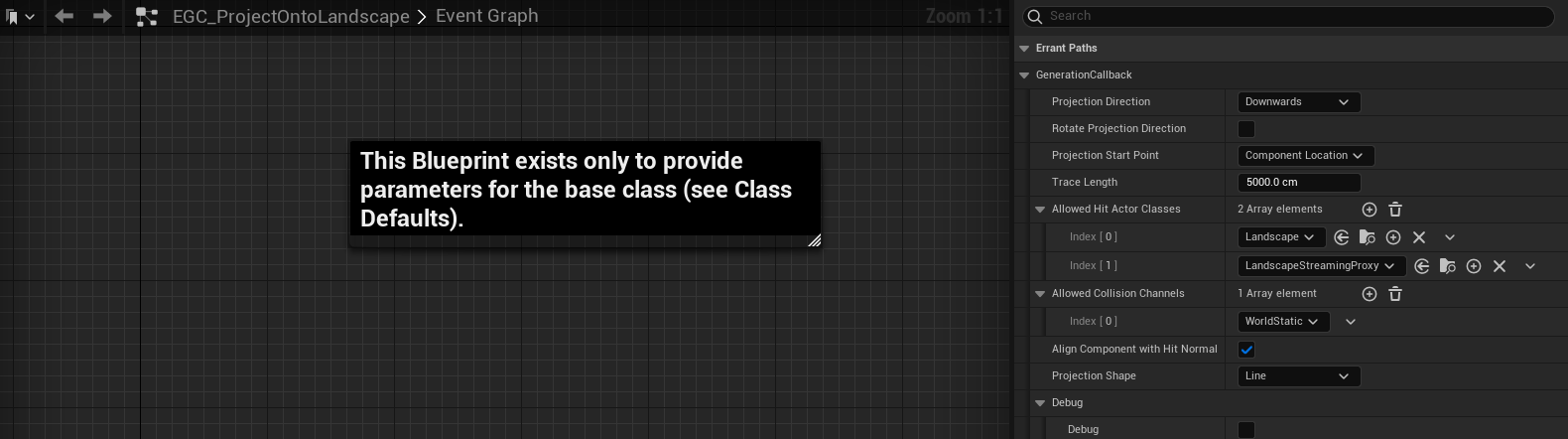
The plugin comes with a few examples of GenerationCallbacks that you can inherit from when creating your own callbacks. The base classes in these examples are implemented in code, for better performance. Then we have BPs that inherit these base classes and allow for adjusting their parameters.
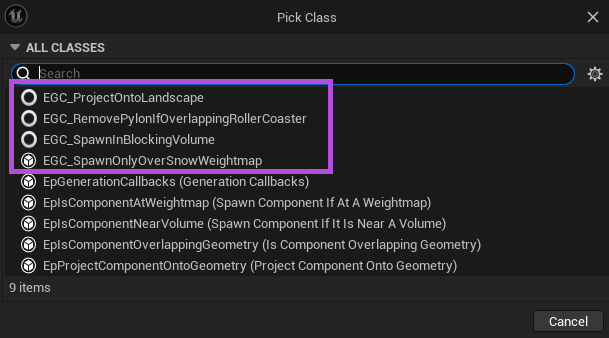
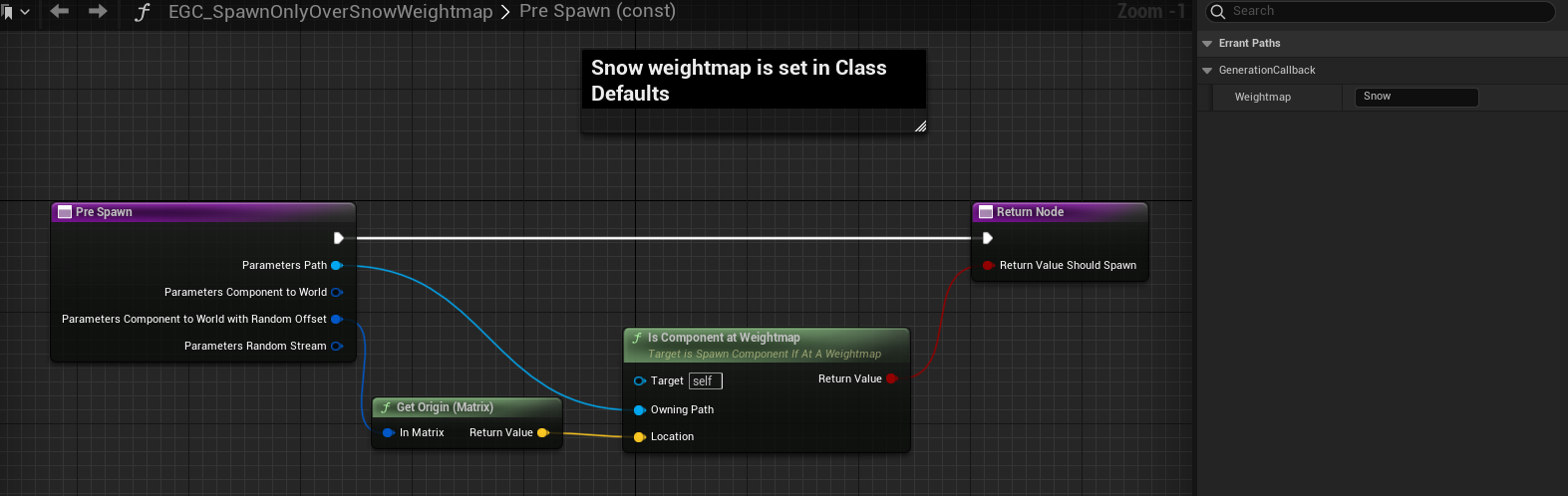
1. Spawn only over the snow weightmap
This GenerationCallback inherits from the UEpIsComponentAtWeightmap which checks whether the given weightmap (set in
the class settings) is above/below a component. If it is, the component is spawned.
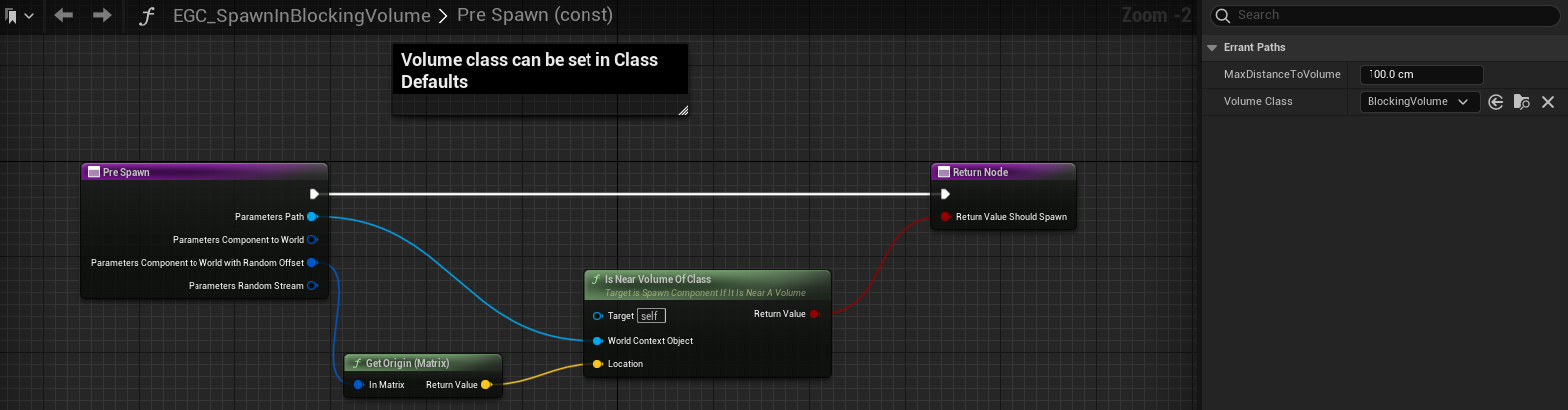
2. Spawn only in the blocking volume
This GenerationCallback inherits from the UEpIsComponentNearVolume which checks whether a volume of the given class
(set in the class settings) is close enough. If it is, the component is spawned.
3. Project onto the landscape
- Errant Paths 1.2 and later
- Errant Paths 1.1 and prior
This GenerationCallback inherits from the UEpProjectComponentOntoGeometry which projects a component on the given
geometry (set in the class settings).
The projection happens when you call the ProjectOntoGeometry function. Override the stage in which you want the projection to happen (PostSpawn, PreLandscapeAdjustment or PostLandscapeAdjustment) and call ProjectOntoGeometry there.
This GenerationCallback inherits from the UEpProjectComponentOntoGeometry which projects a component on the given
geometry (set in the class settings). The projection always happens in the PostLandscapeAdjustment stage.